SafeTabs
Free · No account · No tracking

The tab manager and session saver that never loses your work

Save every tab in one click, let SafeTabs take snapshots in the background, and bring back whole windows and tab groups exactly as they were.

Coming soon to the Chrome Web Store. Works in Chrome, Edge, Brave and other Chromium browsers.

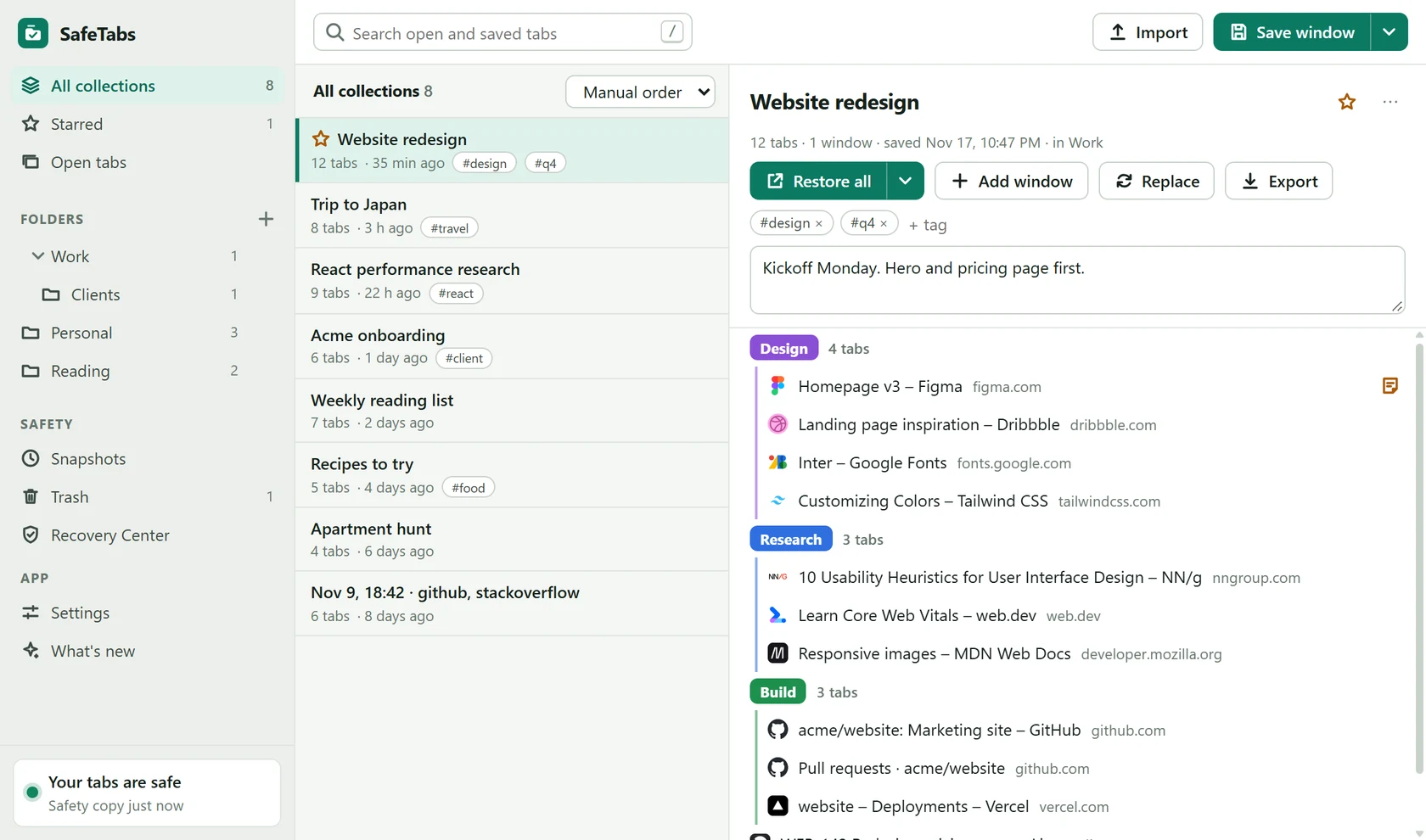
SafeTabs dashboard showing saved collections, folders and a collection with colour-coded tab groups

Everything a tab hoarder needs

Save, find, restore and tidy up, without handing your browsing to anyone.

Save a window in one click

Save the current window, every window, a few selected tabs or a single tab group. Close them afterwards and get your memory back.

  • Tab groups keep their name, colour and order
  • Folders, tags, stars and notes
  • Popup, side panel and keyboard shortcuts
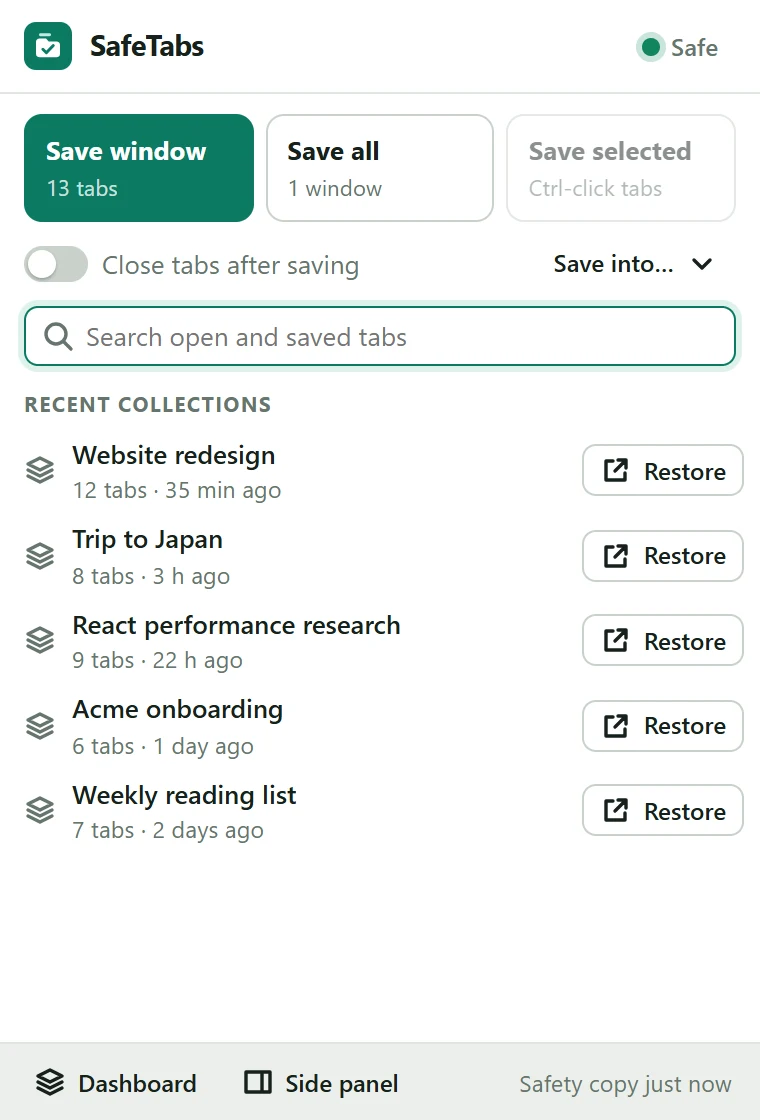
SafeTabs popup with Save window, Save all and Save selected buttons and recent collections

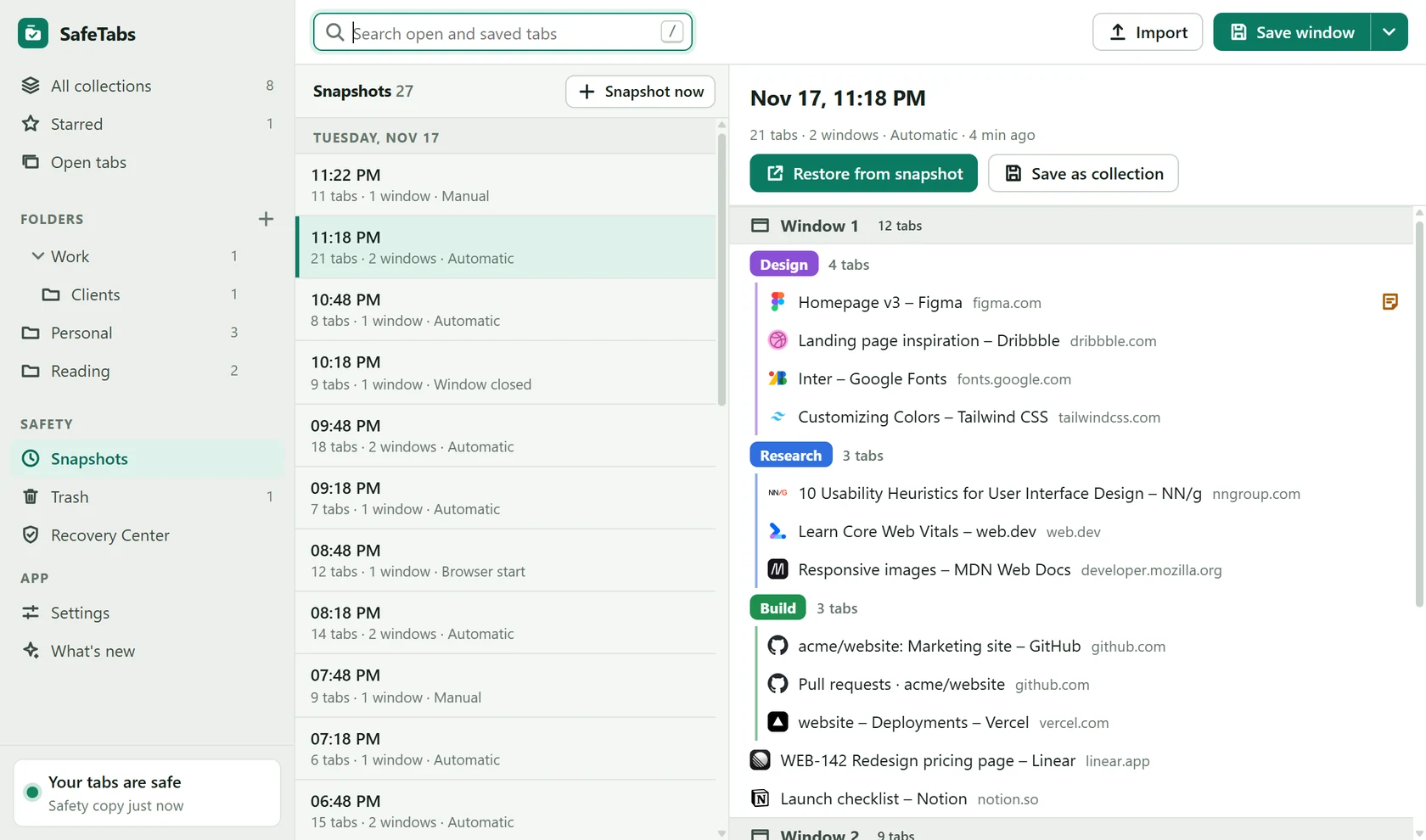
Never lose a session again

SafeTabs takes snapshots of your open windows in the background. After a crash or an accidental close, your session is waiting on a timeline.

  • Automatic snapshots, plus one when a window closes
  • Undo for every delete, and a 30-day Trash
  • A second safety copy, and optional daily backup files
Snapshot timeline with a restore button

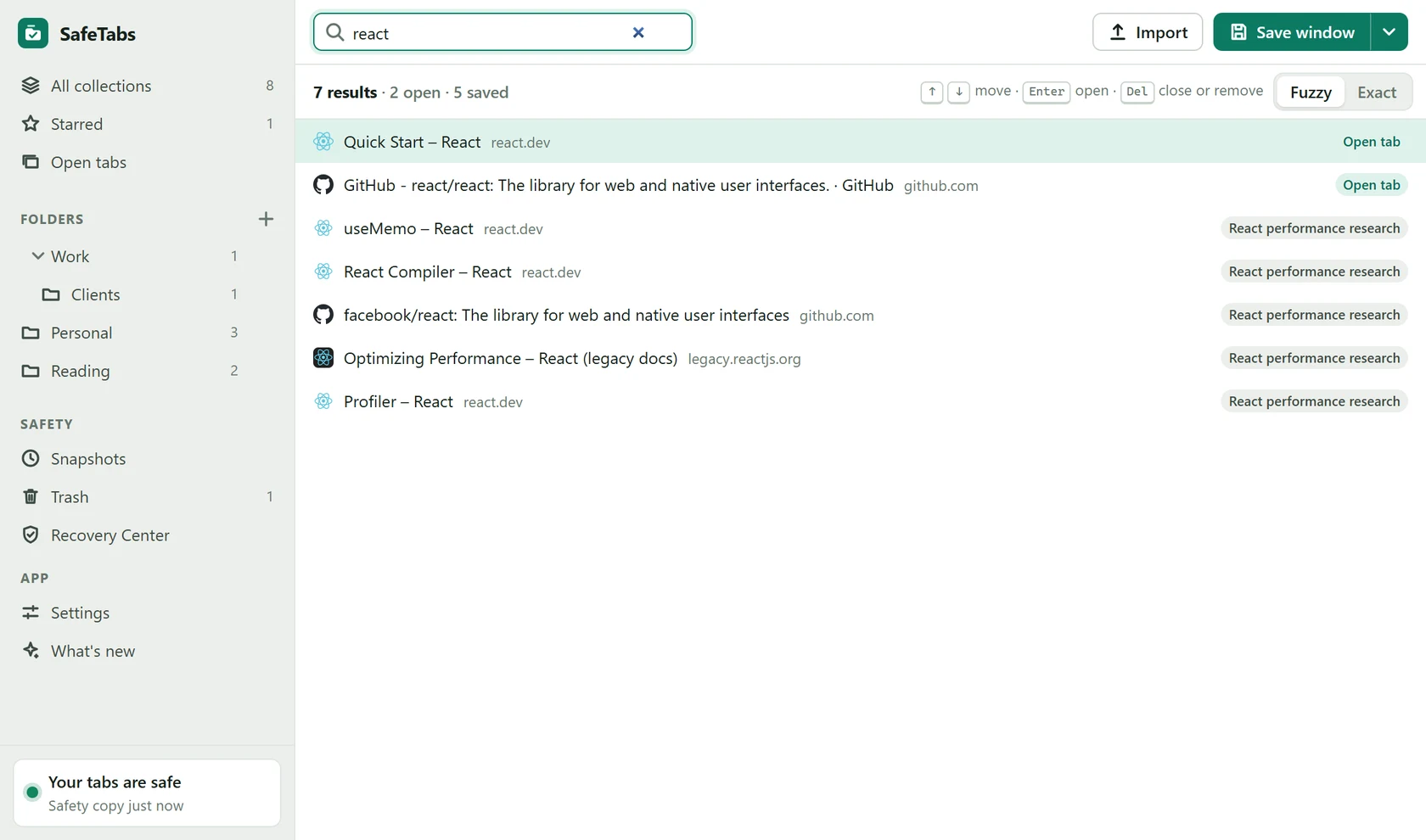
Find any tab as you type

One search box covers the tabs you have open and everything you have saved. It stays fast with 10,000 saved tabs, and forgives typos.

  • Jump to an open tab or reopen a saved one
  • Fuzzy or exact matching
  • Optionally include your browser history
Search results mixing open tabs and saved tabs

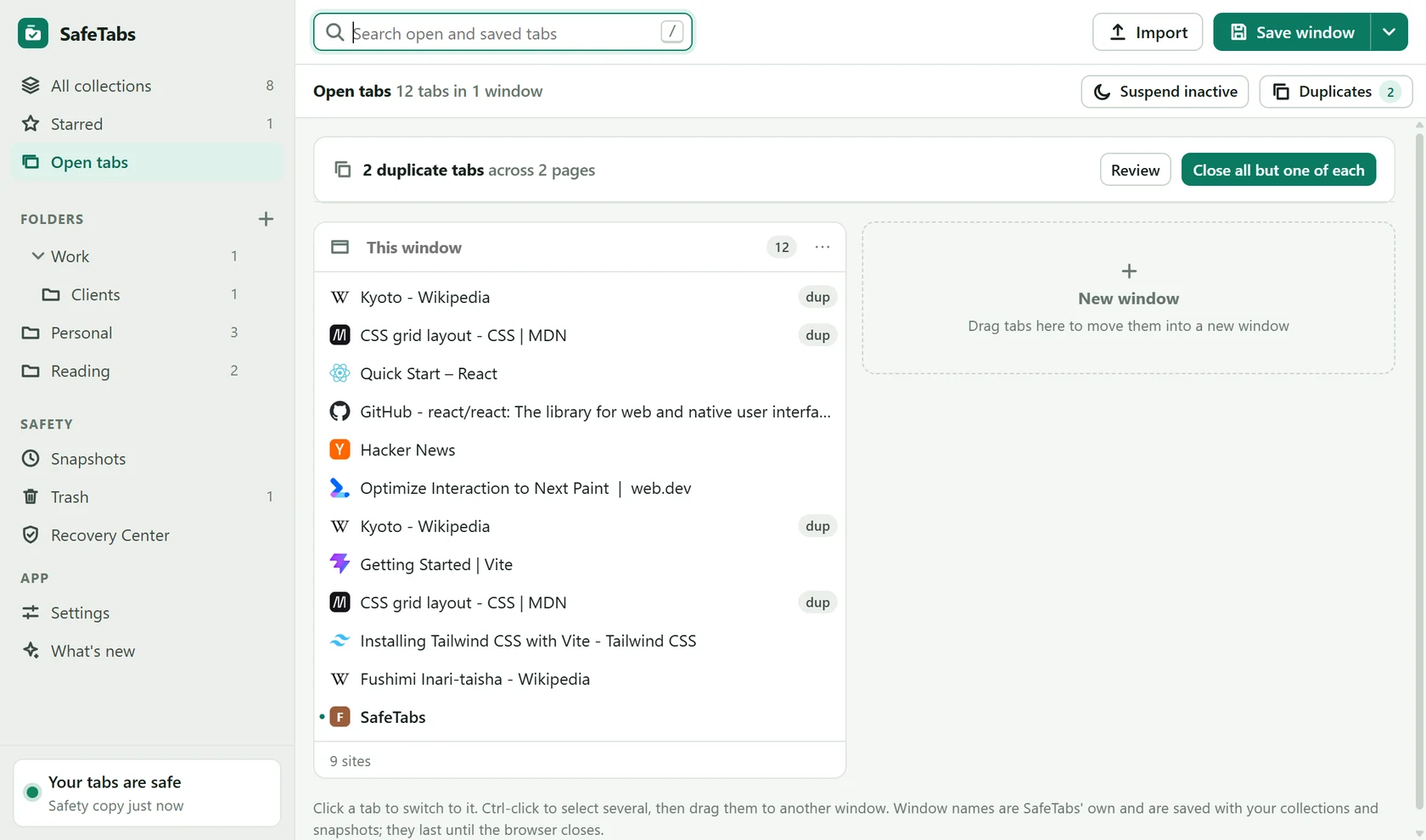
Tidy up what's open right now

See every window side by side. Close duplicates, put idle tabs to sleep, and let rules sort sites into tab groups for you.

  • Find the same page open twice, across windows
  • Suspend idle tabs with Chrome's own tab sleeping
  • Auto-group rules by domain, wildcard or pattern
Open tabs view listing windows with duplicate markers

Restores that don't freeze your browser

Big sessions open in small batches, and most tabs stay asleep until you click them. Restoring 500 tabs keeps Chrome responsive.

  • Restore into a new window or the current one
  • Skip tabs that are already open
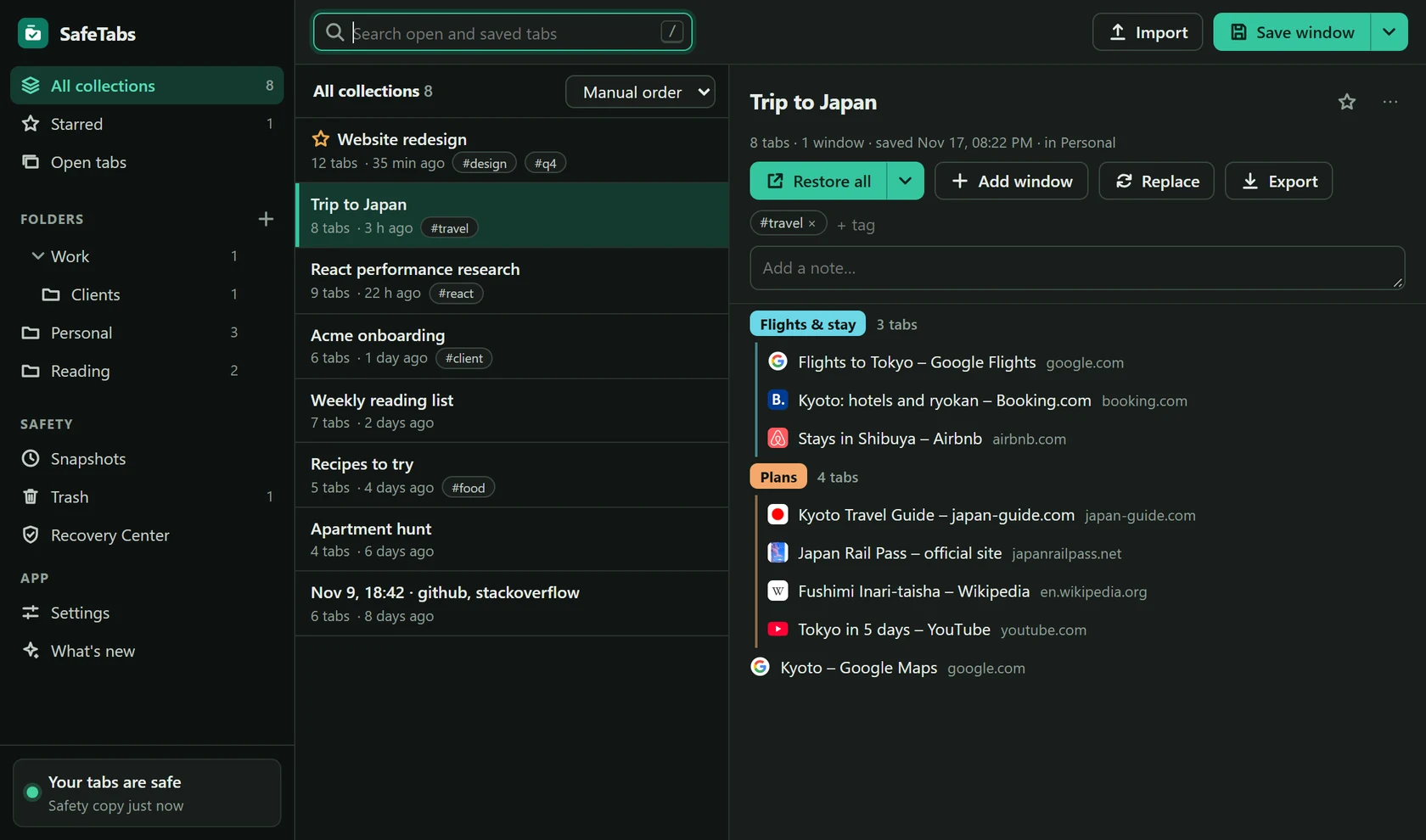
  • Light, dark and black themes
A saved collection in the dark theme

Bring your saved tabs with you

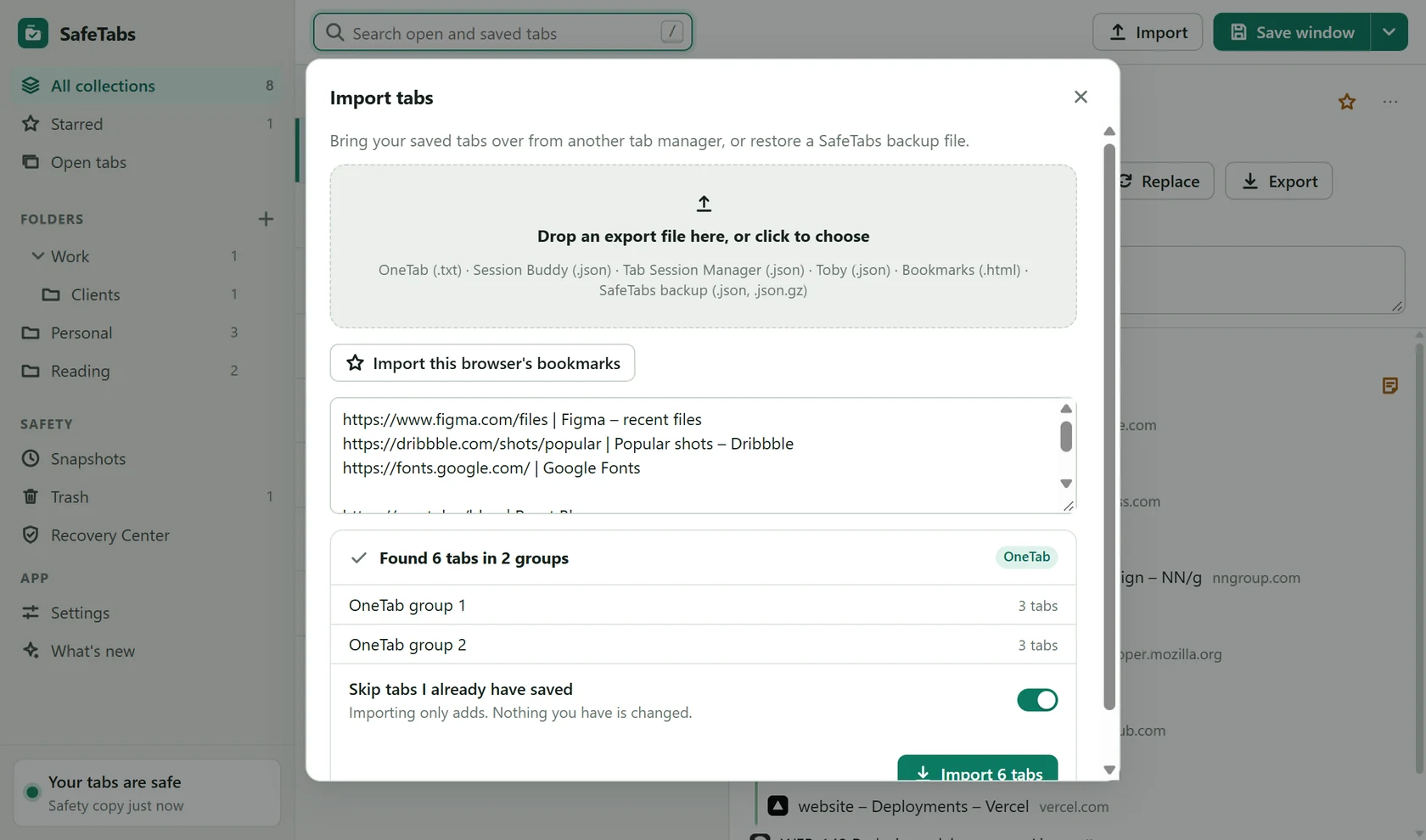
Paste or drop an export from another tab manager and SafeTabs shows what it found before anything is added.

  • OneTab, Session Buddy, Tab Session Manager, Toby
  • Bookmarks and plain lists of links
  • Export as JSON, Markdown, text or a shareable HTML page
Import dialog previewing tabs found in a pasted OneTab export

See it in one minute

A quick tour of saving, searching, restoring and cleaning up.

Private by design

SafeTabs has no server. There is nowhere for your tabs to go.

No account

Nothing to sign up for. Install it and it works.

No tracking

No analytics, no ads, no remote code. SafeTabs never phones home.

Stored on your computer

Your saved tabs live inside your browser, with a second safety copy next to them.

Minimal permissions

Extra permissions are only requested when you switch on the feature that needs them.

Never takes over

It does not replace your new tab page and never closes tabs unless you ask.

Your data, your files

Export everything at any time in open formats. Read the privacy policy.

Questions and answers

How do I save all open tabs in Chrome?

Click the SafeTabs icon and press “Save window” (or “Save all” for every window). The tabs are stored as a named collection that you can restore later with one click.

Can I restore my tabs after Chrome crashes?

Yes. SafeTabs takes automatic snapshots of your open windows in the background. After a crash or restart it offers to restore your last session, and older sessions stay on a timeline.

Does SafeTabs save tab groups?

Yes. Chrome tab groups are saved and restored with their names, colours and order.

Is SafeTabs free?

Yes. Every feature is free, with unlimited tabs, collections and folders. There is no account and no paid plan.

Where are my saved tabs stored?

On your own computer, inside your browser. SafeTabs has no server, no analytics and no tracking. You can also turn on daily backup files in your Downloads folder.

Can I move my tabs from OneTab, Session Buddy or Toby?

Yes. Paste or drop an export file from OneTab, Session Buddy, Tab Session Manager or Toby, or a list of links, and SafeTabs imports it after showing a preview.

Does it work in Edge and Brave?

Yes. SafeTabs works in Chrome, Microsoft Edge, Brave and other Chromium browsers.